
Inventory control is the system you use to monitor and manage how inventory moves from purchasing and receiving to production, storage, and final sale. The goal is to make sure you always know what you have, where it is, and how it’s being used.
Inventory control gets increasingly difficult as your business grows because you’re dealing with more products, suppliers, production steps, and storage locations. More complexity makes spreadsheets and manual updates unreliable, and basic inventory features in QuickBooks struggle to keep up.
There are four essential types of inventory control that growing businesses can use to maintain accuracy and operational clarity. Keep reading to learn how you can implement these control systems by extending QuickBooks with SOS Inventory’s inventory management software.
Table of Contents
What Happens When Inventory Control Does Not Scale?
SKU expansion stretches spreadsheet systems beyond their limits, forcing you to update records manually as sales and purchasing activity continue. As a result, your inventory data starts lagging behind what is actually happening in the warehouse and on the production floor.
Costing accuracy also begins to drift. If you manage inventory across multiple locations or production builds, you may see unit costs vary between transactions or reports. Traceability becomes weaker, and it gets harder to track quality issues, warranty coverage, and regulatory compliance.
Multi-location fulfillment increases the possibility for error. Transfers between warehouses, assembly stations, or distribution points might be recorded incorrectly or missed. Over time, finance teams spend hours reconciling numbers instead of using inventory data to guide pricing, purchasing, and production decisions.
When inventory control doesn’t scale, operations suffer from:
- Stockouts and excess inventory sitting in the wrong location
- Margin loss from inaccurate costing and pricing decisions
- Delayed order fulfillment and shipment processing
- Higher exposure to audit and compliance risk
- Growing manual reconciliation work across departments
What Are the Four Types of Inventory Control?
Relying on a single tracking method won’t cut it when your business starts to grow. You need layered inventory control that manages quantity accuracy, product history, production activity, and physical movement in the same system. Each of the four types of inventory controls supports a different part of your workflow while keeping operations aligned.
1. Perpetual Inventory Control
What it is:
Continuous, real-time tracking of inventory quantities as purchases, sales, transfers, manufacturing, and fulfillment transactions occur.
How it strengthens your operations:
You keep stock levels accurate throughout the day instead of periodically adding counts. This visibility helps you reorder faster, reduce manual reconciliation, and improve order fulfillment accuracy. When inventory, purchasing, and sales data stay synchronized, your operational reporting also stays closer to financial records.
2. Lot, Serial, and Traceability Control
What it is:
Tracking inventory by lot number, batch, or unique serial identifier while maintaining full transaction history.
How it strengthens your operations:
Traceability lets you follow product lineage from receiving to final shipment. You improve warranty management, quality assurance, and recall readiness while protecting brand reputation. In regulated or high-value industries, audit-ready documentation becomes a working operational standard rather than a reactive task. Strong traceability gives you confidence in product safety and customer trust.
3. Manufacturing and Work in Progress Control
What it is:
Structured tracking of assemblies, multi-level builds, work orders, and job costing as products move through production.
How it strengthens your operations:
Component costs roll into finished goods automatically, so you can see the true production cost. You monitor work-in-progress inventory in real time, coordinate scheduling, and reduce build errors. Instead of managing production with spreadsheets, everything runs through a controlled operational system that supports accurate profitability analysis.
4. Multi-Location and Movement Control
What it is:
Coordinated management of inventory across warehouses, distribution centers, production areas, and sales channels.
How it strengthens your operations:
You see inventory availability across all locations in a single system, track partial shipments and receipts, and manage backorders with clarity. Transfers between facilities are recorded consistently, reducing movement errors and reporting discrepancies.

How Does SOS Inventory Support the Four Types of Inventory Control Systems?
Inventory control works best when it is built directly into the software you use every day. SOS Inventory embeds the four types of inventory control directly into your daily QuickBooks workflows:
- Perpetual control: Continuous, real-time quantity updates rely on SOS Inventory’s barcode scanning, multiple locations, bins and aisles, and automated order processing, giving teams live visibility instead of periodic spreadsheet updates.
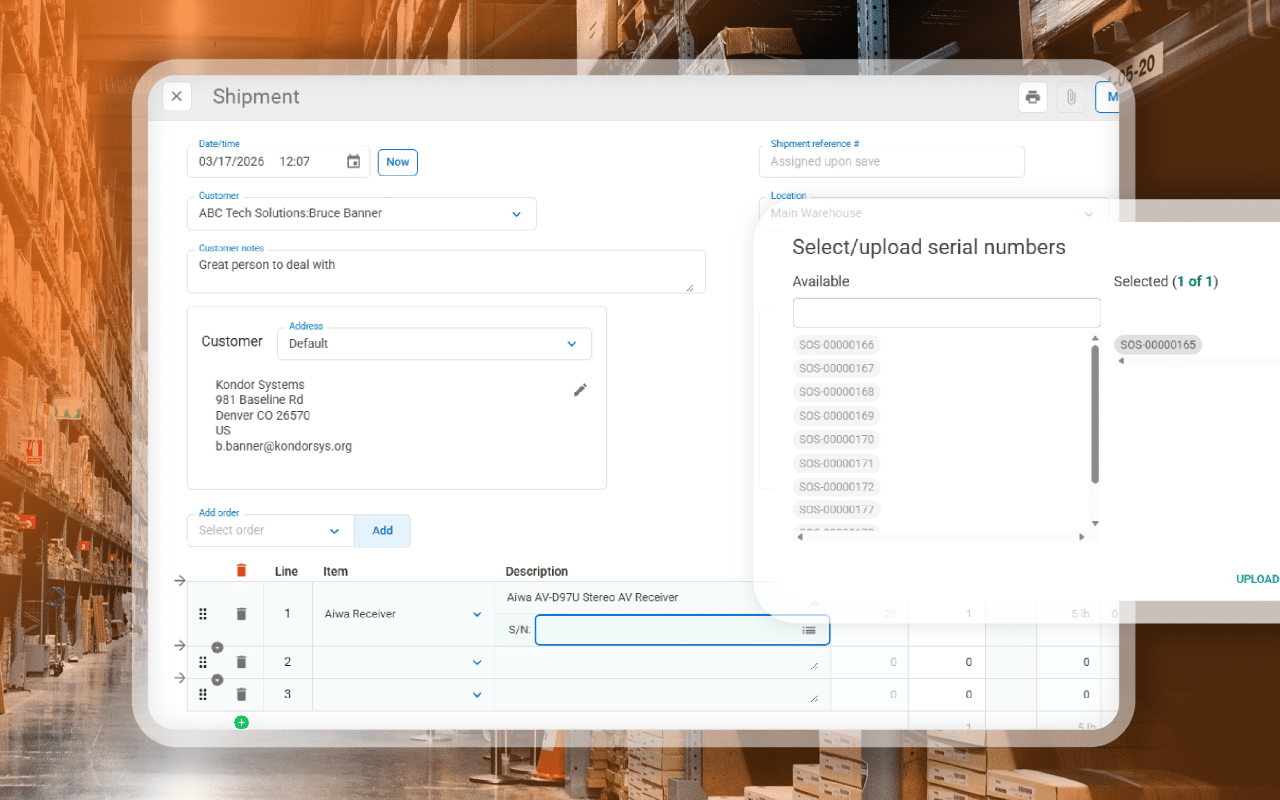
- Traceability control: Lot and serial tracking, landed cost tracking, and detailed transaction histories.
- Manufacturing control: Multi-level assemblies, work-in-progress tracking, process manufacturing, and job costing.
- Movement control: Multi-location management, partial shipments, backorder tracking, and workflow automation.
Take Control of Your Operations with SOS Inventory
Using all four types of inventory control is essential to staying accurate across purchasing, production, and fulfillment as your business grows. With SOS Inventory, you can create automated, consistent workflows that improve visibility and cost accuracy without leaving your QuickBooks environment.
Download our latest eBook to learn more about strengthening inventory control and operational performance.
Frequently Asked Questions
What are the main types of inventory control?
The four essential types of inventory control are perpetual inventory control, lot and serial traceability control, manufacturing and work-in-progress control, and multi-location movement control.
Why do growing businesses need multiple types of inventory control?
As operations expand, relying on a single tracking method creates visibility gaps. Multiple control layers help you manage inventory accuracy across sales, production, storage, and distribution.
Can QuickBooks alone support advanced inventory control?
Basic QuickBooks tracking works for simple operations, but advanced control usually requires dedicated inventory management software. SOS Inventory extends QuickBooks by embedding real-time inventory, traceability, manufacturing, and multi-location workflows directly into daily operations.